The canned flinch
A hit plays an animation. Fifty enemies, the same three hit reacts. Players stop seeing them after the first room.
 G.O.A.T. RAGDOLL
Get it on Fab
Balance / Injury / Protective reactions
Studios spend years building systems like this in-house. You get it as one drop-in component.
Get it on Fab from $79.99Active ragdoll hit reactions / Unreal Engine 5
First hit / Moderate
The hit twists the body. Balance is judged against the feet on the ground, every frame.
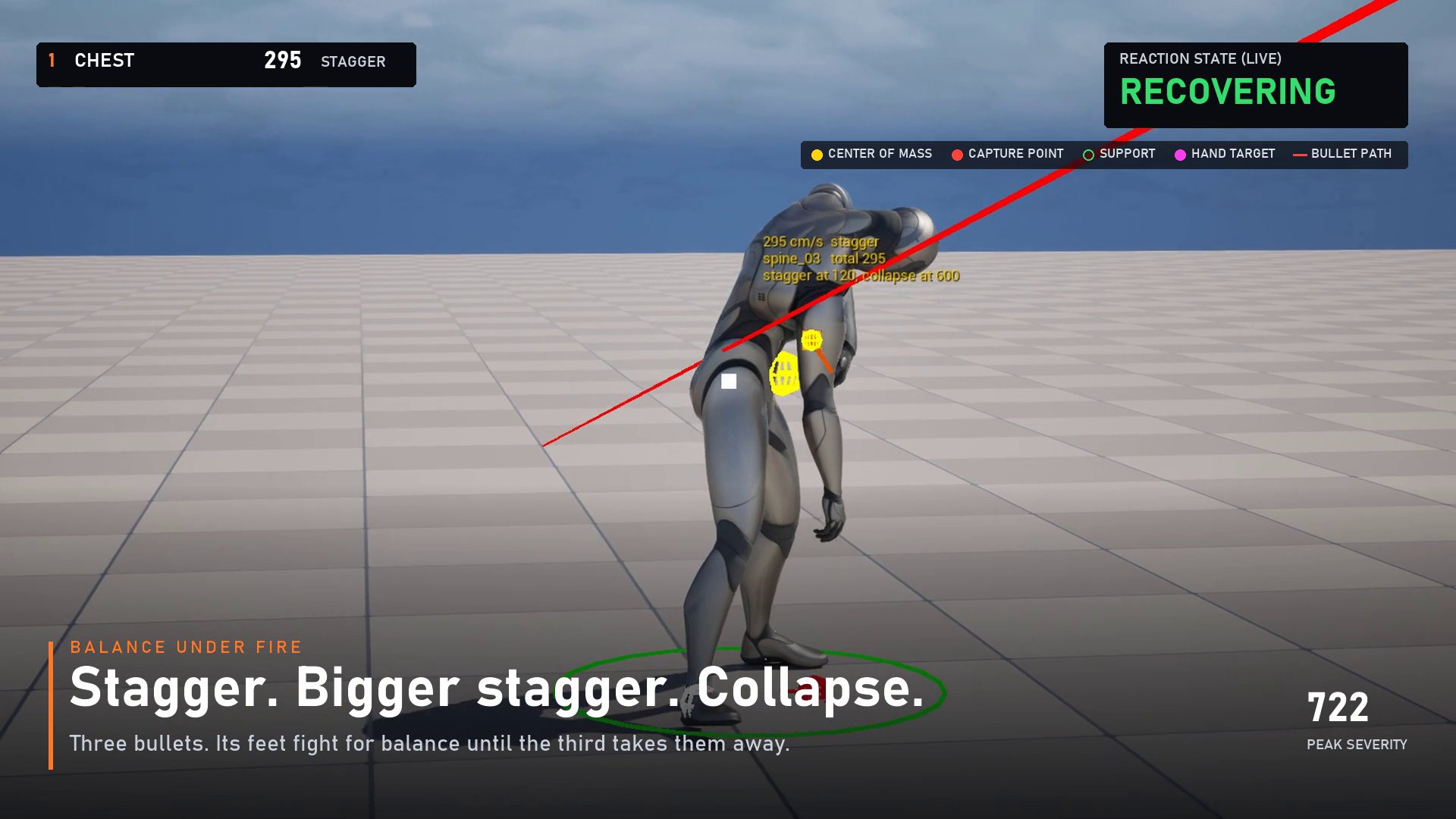
Balance under fire
A catch step is committed within a frame of the hit.
Second hit
The next one lands on a body already fighting for balance, so it counts for more.
Major / Collapse
A full ragdoll with real momentum, not a canned fall.
Physics that reacts
They flinch, stagger, fight for balance, step to catch themselves, put their hands out when they fall, carry their wounds, and get back up.
Motion taken from a real capture of the plugin and re-rendered with AI. Raw Footage is further down the page.
The problem
A hit plays an animation. Fifty enemies, the same three hit reacts. Players stop seeing them after the first room.
Or the character goes limp like someone cut the strings. No effort to stay up, no hands out, no weight.
Every reaction is physically driven, so no two are alike. Euphoria-style behaviour, sold as one drop-in actor component built on Chaos and Physics Control.
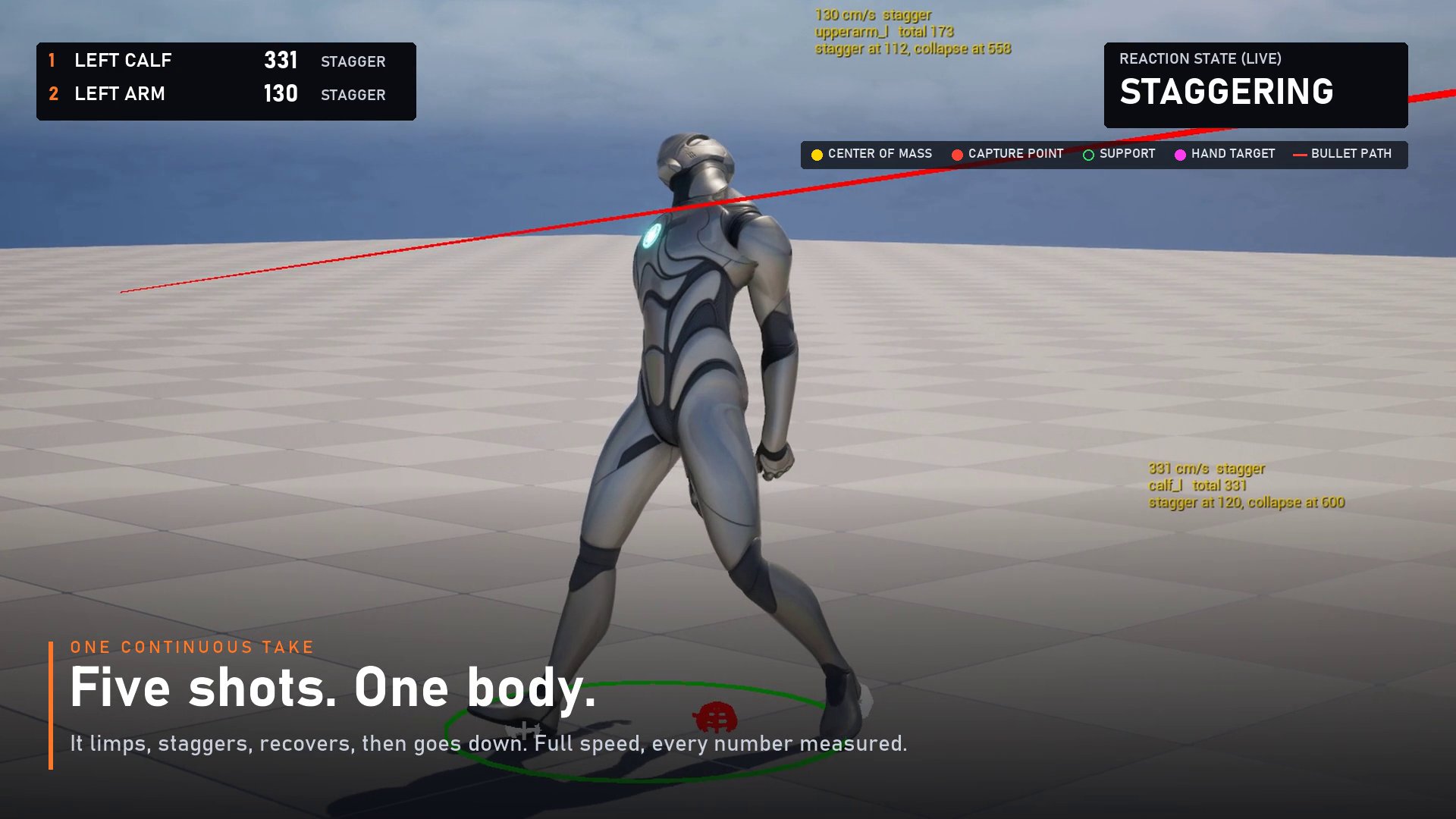
One continuous take
Scroll to fire. Each hit gets a severity, and the severity picks the response.
Motion taken from a real capture of the plugin and re-rendered with AI. Hit order and tiers are from the plugin's own telemetry. Raw footage is further down.
What's in the component
Five systems do the heavy lifting. Each is described twice: what the player sees, and how it works.
< 1 frame from hit to committed catch step, before the body has really moved.
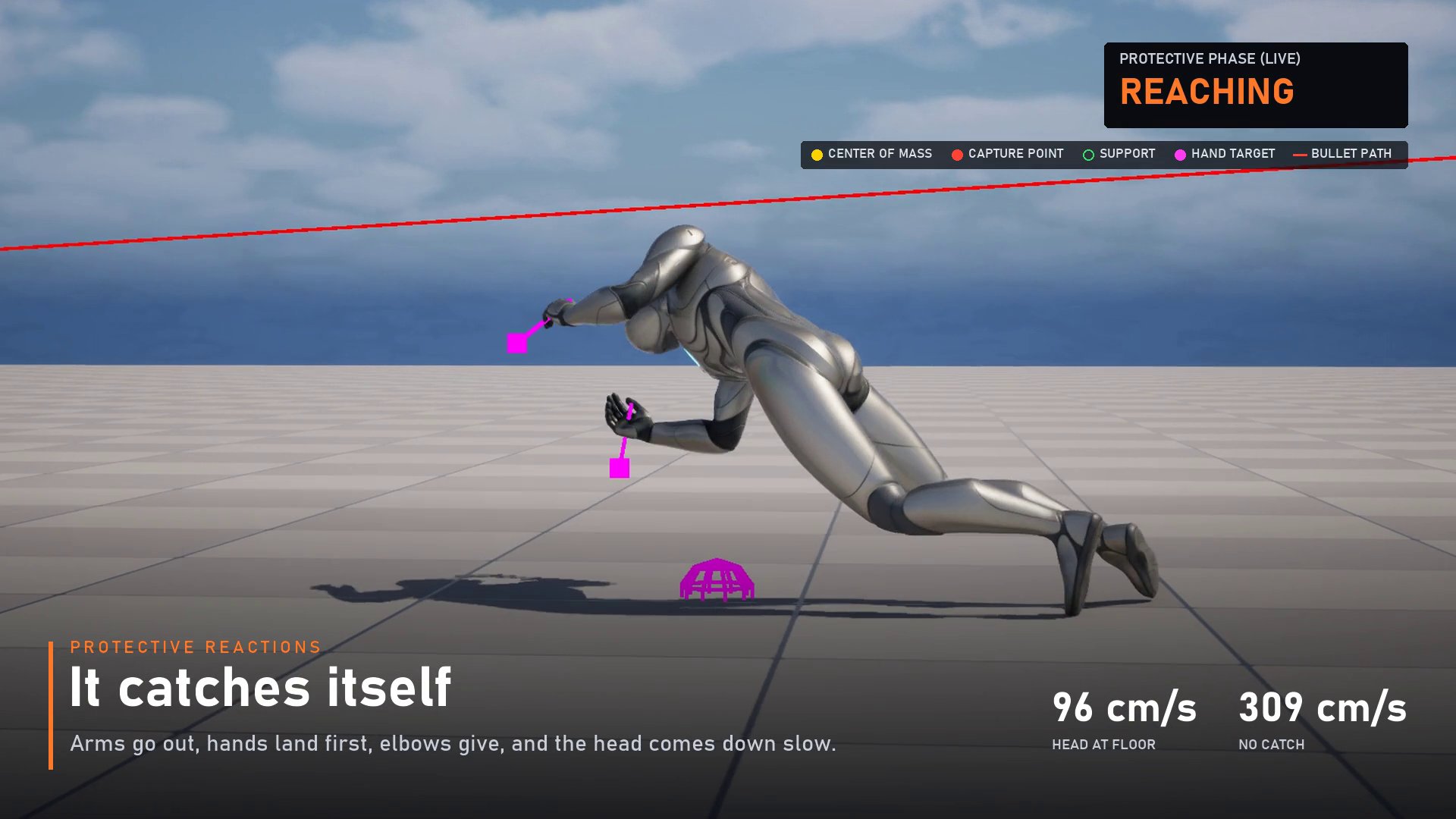
96 cm/s head speed at the floor with protective arms, against 309 cm/s without.
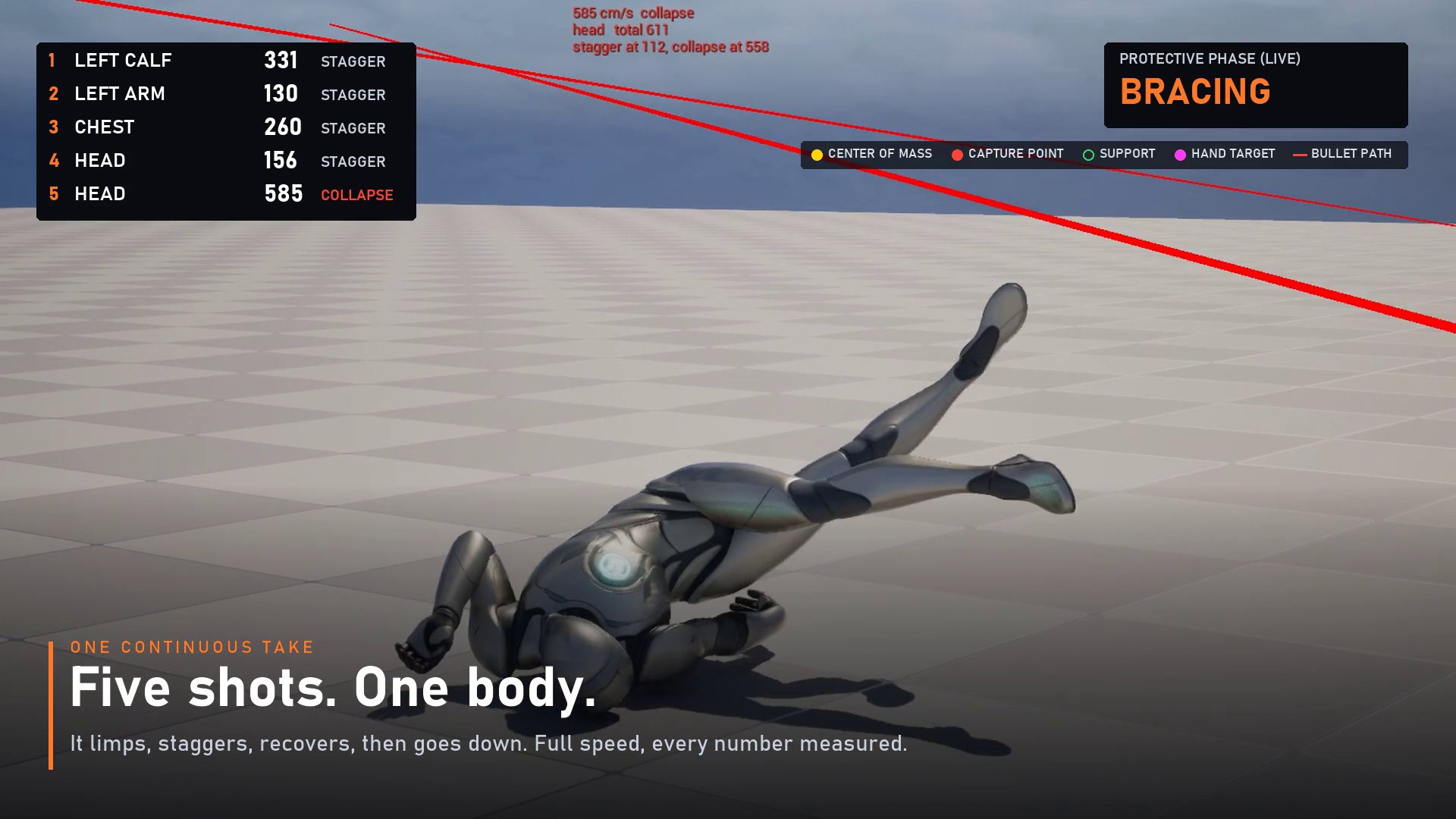
| Feature | What the player sees | How it works |
|---|---|---|
| Tiered response | Small hits flinch, medium hits stagger, big or lethal hits drop the character | Severity per hit (a velocity change); thresholds pick Minor / Moderate / Major. Body-part weighting, cumulative hits |
| Balance | Shoved characters fight to stay up | Capture-point balance (linear inverted pendulum) against the support feet, every frame |
| Catch steps | They throw a foot out to save themselves | Procedural steps: correct foot, on an arc, at stance width, traced onto the floor |
| Protective arms | Hands out, land on them, brace | Landing prediction, reach ahead of the shoulders, plant, bear weight, relax |
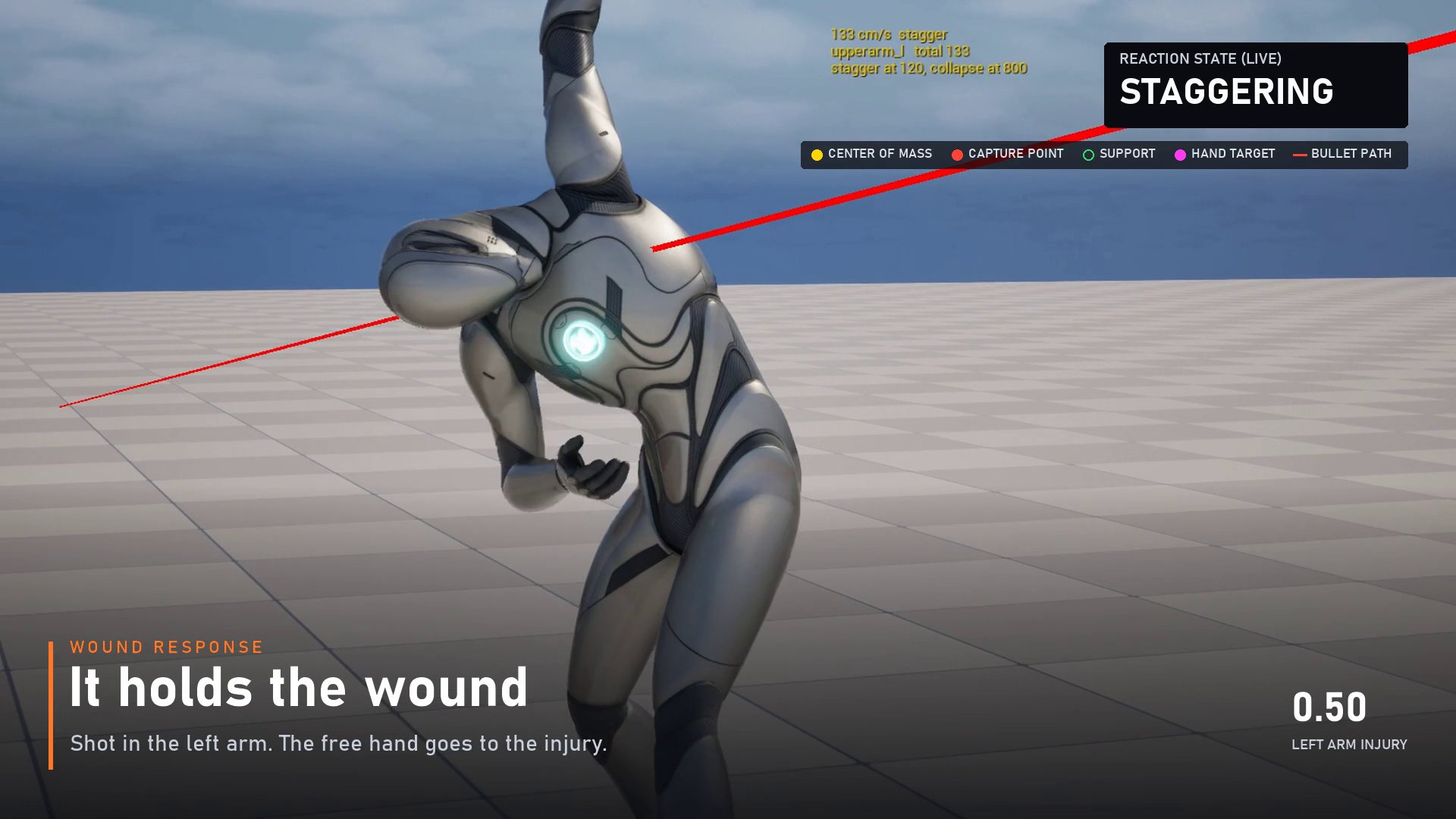
| Injuries | Dead arms, limping legs, a hand on the wound | Per-limb injury state, healing over time, procedural limp for any Anim Blueprint |
| Impulse spread | A hip hit moves the whole person; hits twist the body | Direct share at impact, mass-weighted spread through the Physics Asset, angular transfer |
| Get-up | They climb back to their feet without popping | Settle detection, face-up / face-down detection, aligned get-up montage |
| Airborne | Thrown bodies tuck; hands come out near the ground | Limb motors firm up in the air |
| Self-collision | Arms and legs don't pass through each other | CCD on the limbs; missing pairs added to a runtime copy of the Physics Asset |
| Limb control & grabbing | Hands reach targets, pick up and carry objects, grip ledges and bars, hang | Physics-driven limb targets, grip strength, overstretch release, replicated |
| Vehicles & launches | Run-overs; passengers thrown through a windscreen | Kinetic impacts from moving objects, LaunchRagdoll(Velocity) |
| Gameplay hooks | Plays nicely with health systems and AI | Health-driven mode (only lethal hits collapse), AI paused during reactions, 10 Blueprint events |
| Multiplayer | The server decides outcomes | Server-authoritative impacts, deaths, injuries and limb states; clients replay the impacts |
| Performance | Characters that aren't reacting cost nothing | Idle characters don't tick and hold no motors; per-world simulation budget; visibility and distance gating |
| Developer tooling | Fast to try and tune | Ragdoll Sandbox tab, one-click test level, test director, test dummy, test enemy, presets, debug view, 35 automation tests |
Measured, not promised
Head speed when it reaches the floor, from the promo capture. Lower is softer.
Crowd test
The same crowd was run twice in the editor: once without the component and once with it. Figures are average game-thread time per frame in milliseconds, so lower is better and the comparison between the two columns matters more than the absolute numbers.
| Characters | Standing idle | Moderate hit on everyonedefault budget: 16 stagger at once | Major hit on everyoneall of them ragdoll | |||
|---|---|---|---|---|---|---|
| Without | With plugin | Without | With plugin | Without | With plugin | |
| 25 | 21.4 | 20.9 | 20.4 | 23.2 | 20.7 | 16.3 |
| 50 | 22.3 | 22.2 | 22.1 | 22.4 | 21.9 | 18.8 |
| 100 | 35.6 | 39.3 | 35.4 | 34.7 | 55.4 | 28.6 |
| 200 | 60.5 | 58.5 | 58.2 | 46.1 | 58.5 | 44.0 |
Measured on 2026-11-10 in the Unreal editor on the developer's machine, not in a packaged build. Runs at 100 and 200 characters cover few frames, and the run without the plugin varied between 35 and 58 ms at 100 characters, so read differences of a few milliseconds as noise.
Footage
Full speed, with the plugin's debug view on. Slow-motion shots are labelled 0.5× replays of the same frames.
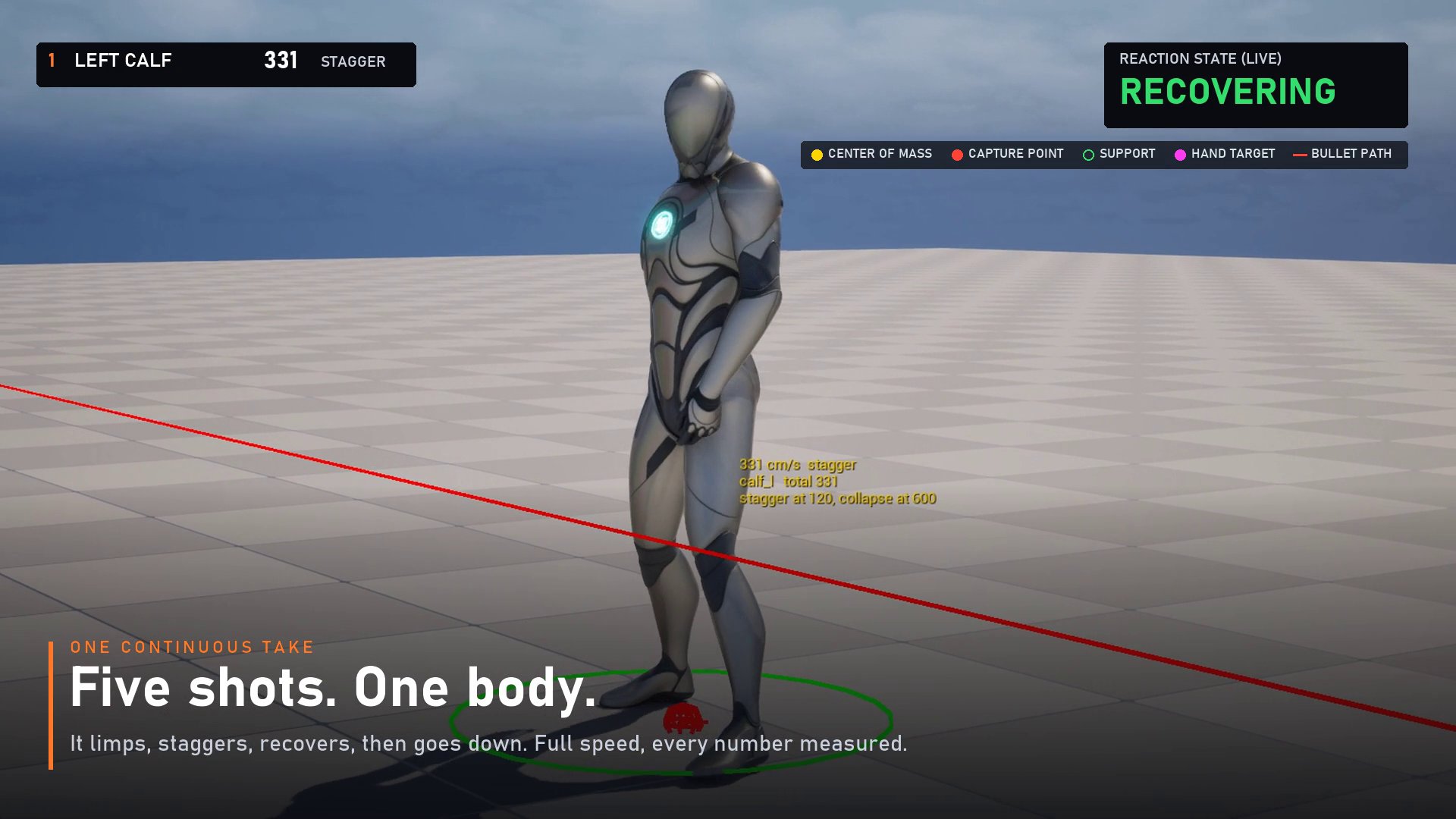
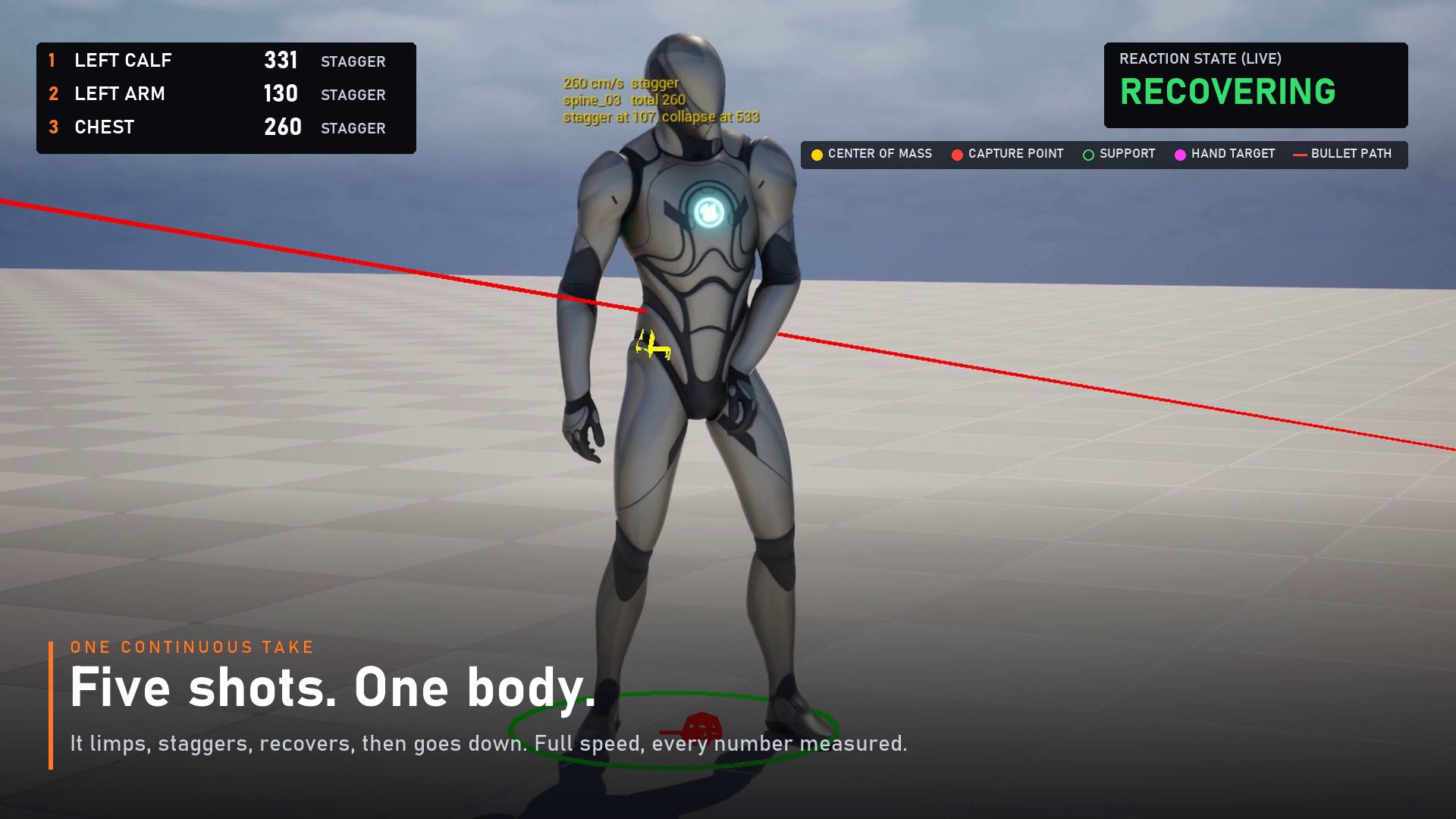
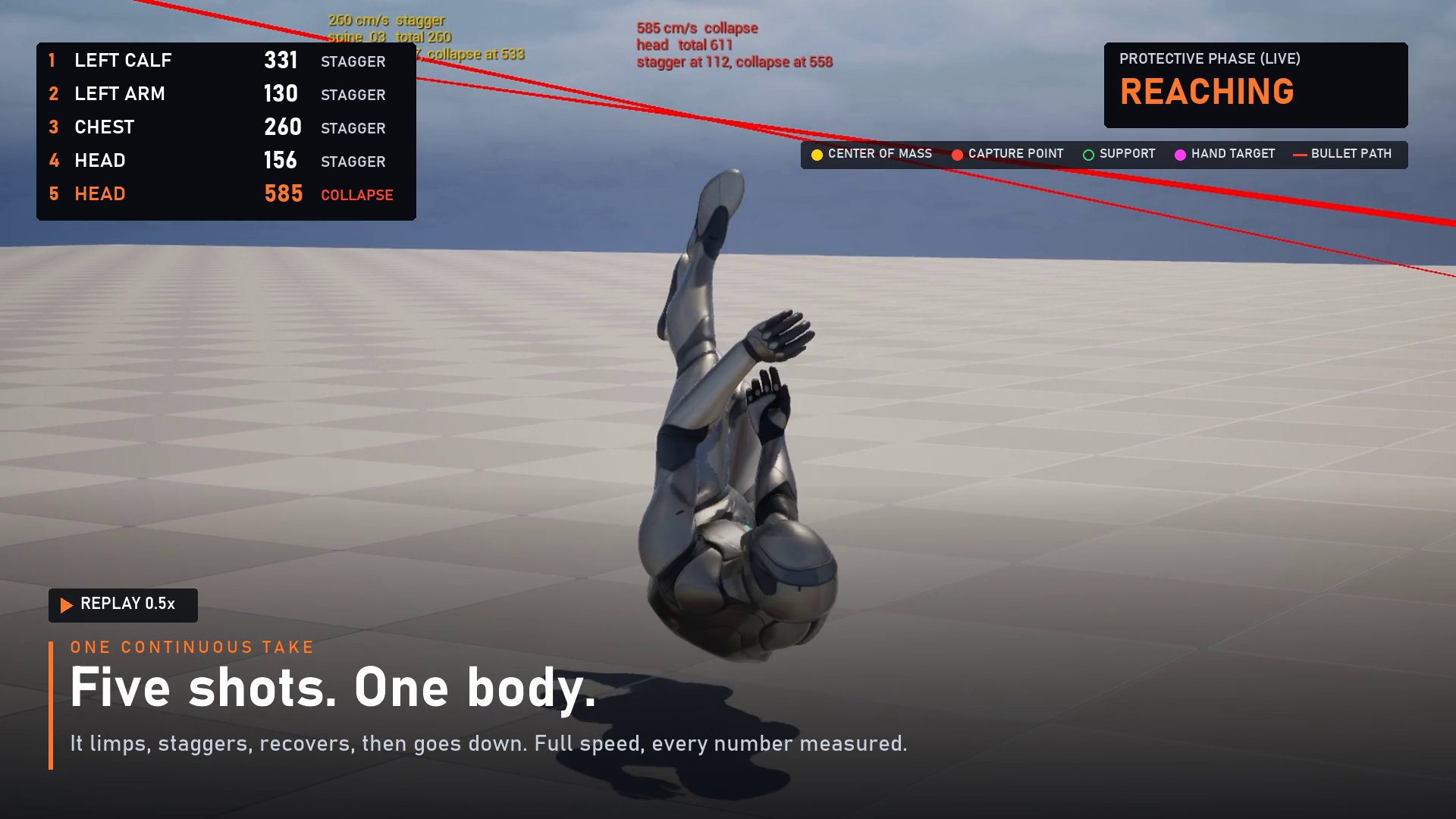
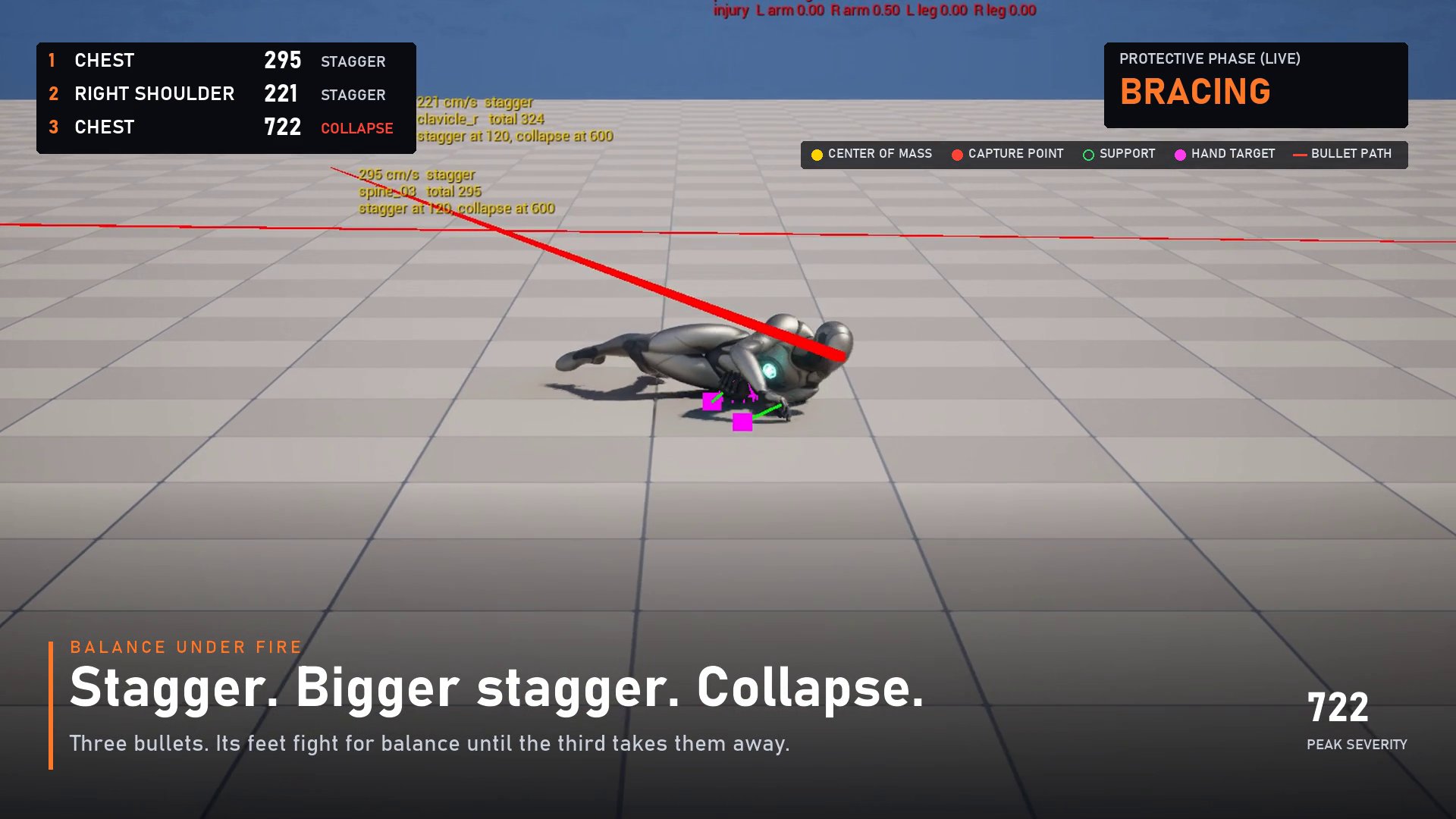
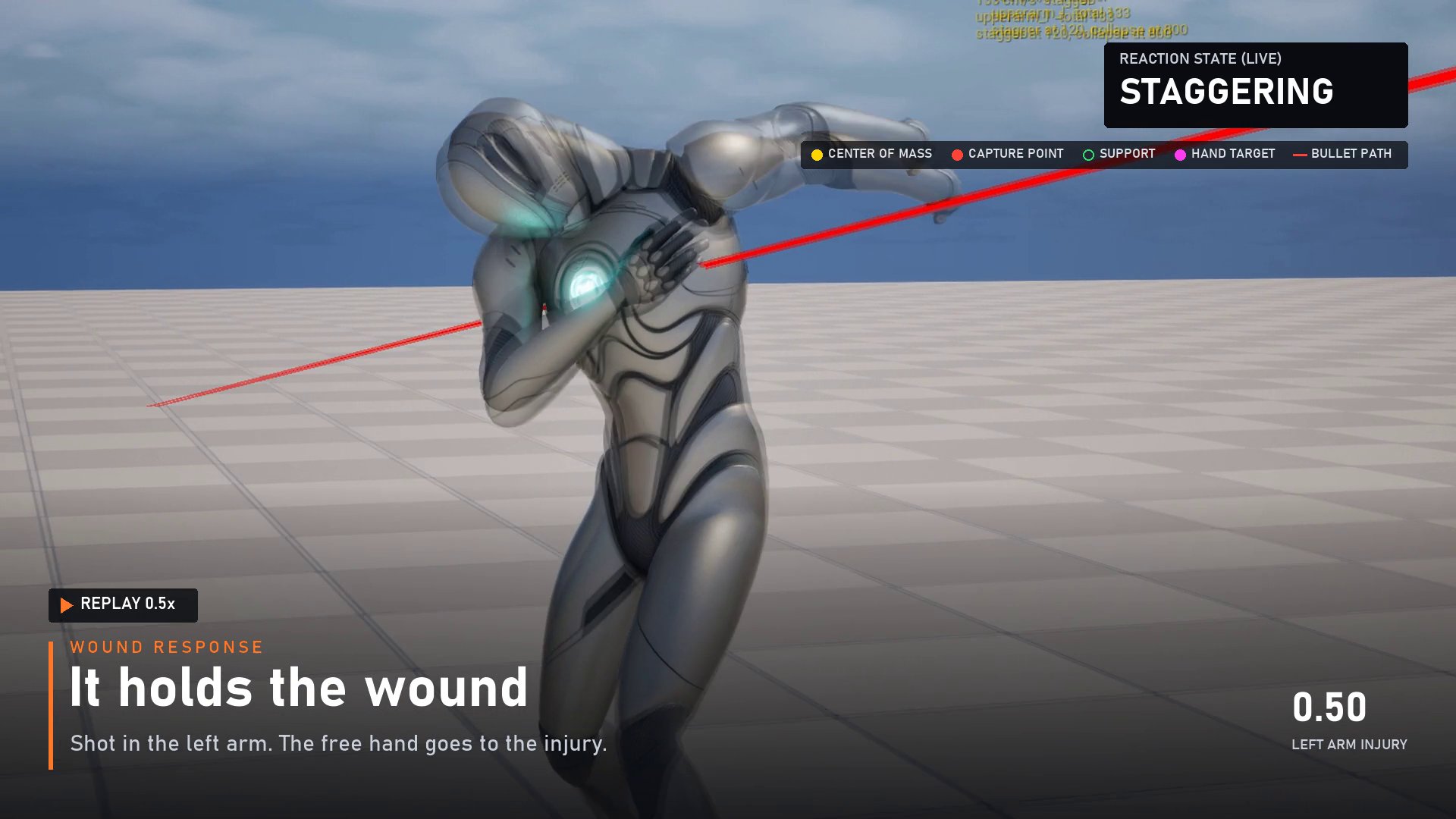
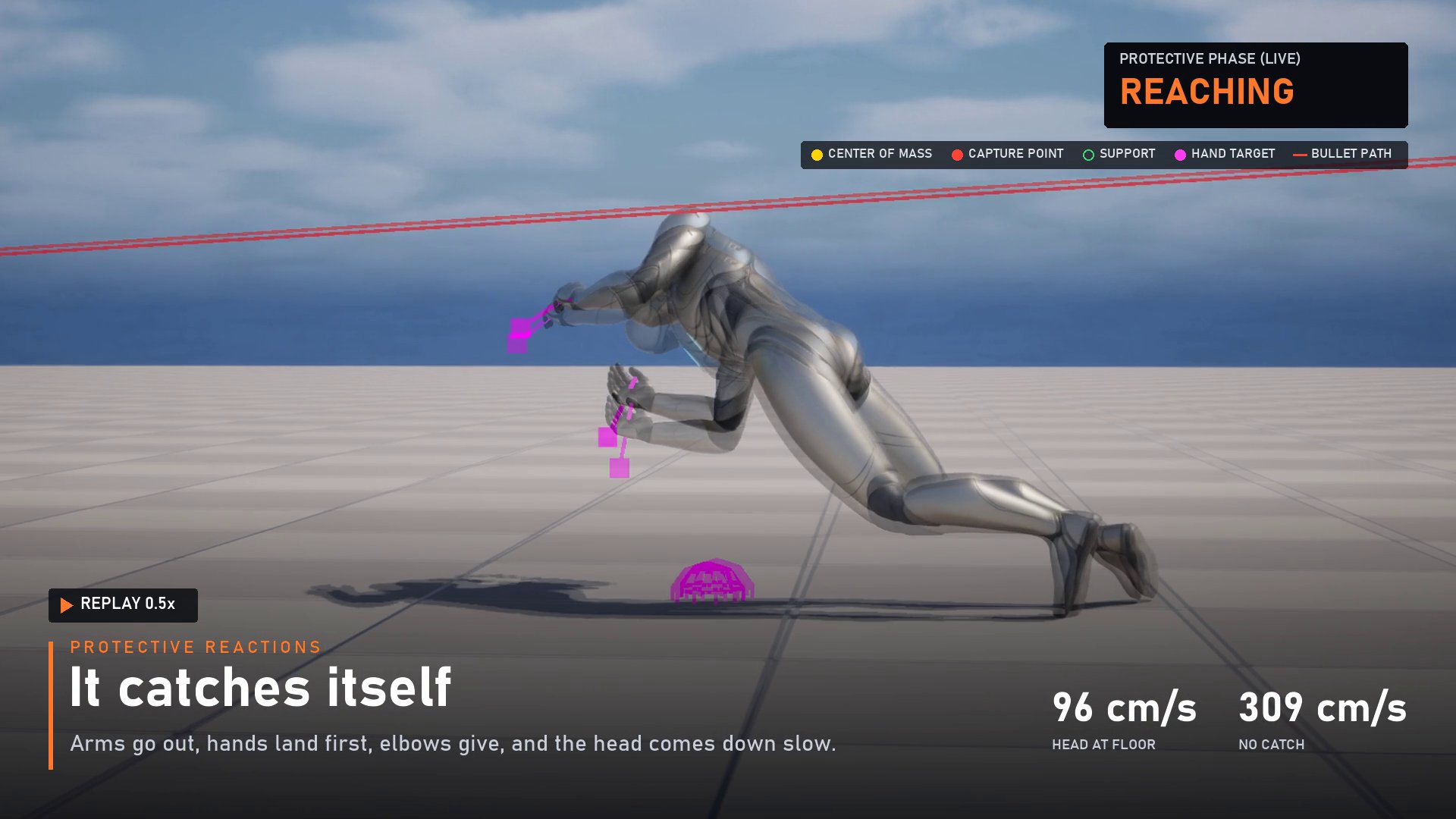
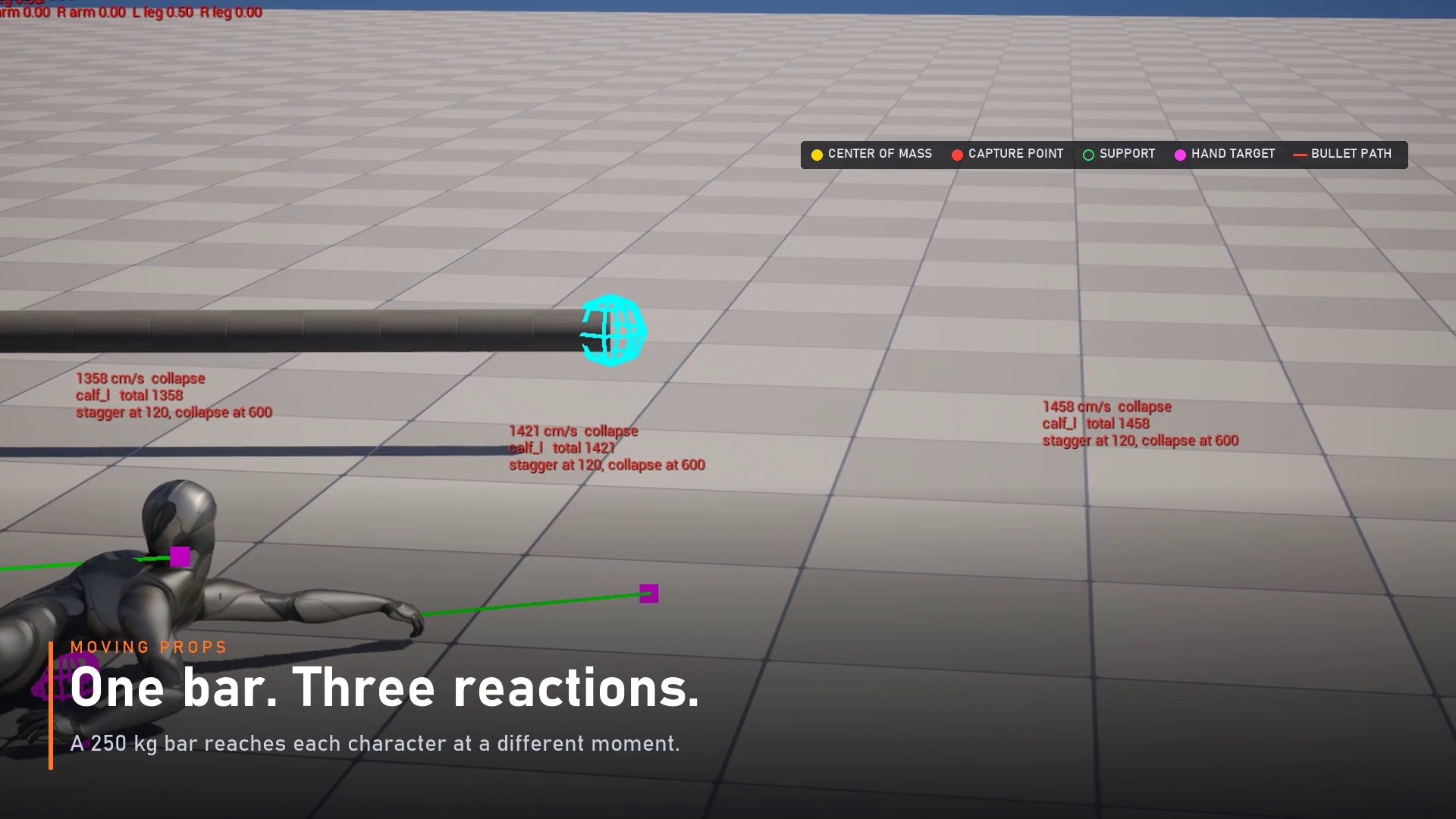
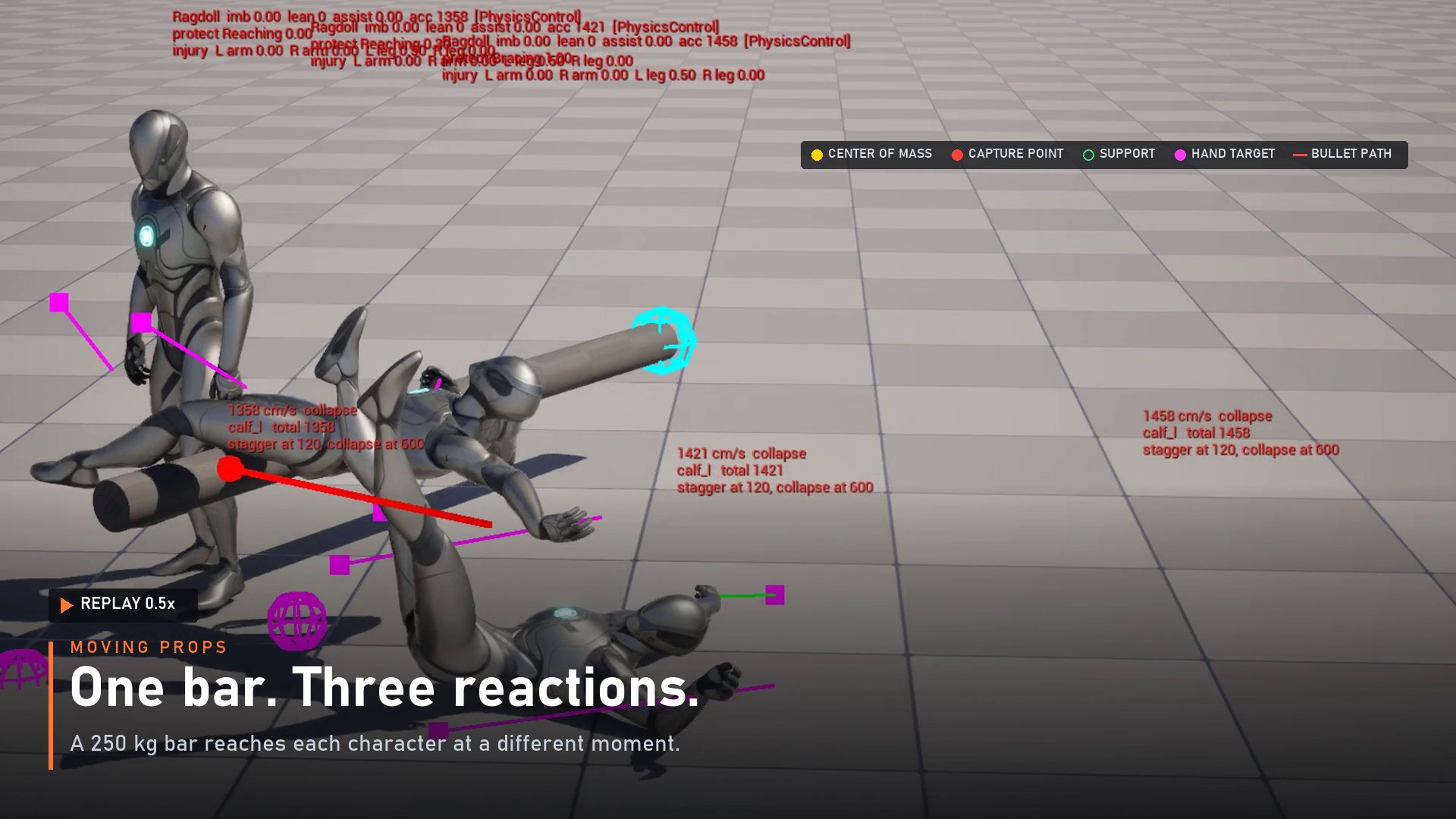
All footage uses Epic's mannequin on a grid floor. Severity values visible in the on-screen hit lists were recorded before a later change to how severity is computed; read them as illustrative, not as specs. The 96 vs 309 cm/s comparison is a velocity and stands.
Built for developers
Fired by the component, usable from Blueprint or C++:
What the markers in the footage mean:
Ragdoll Sandbox
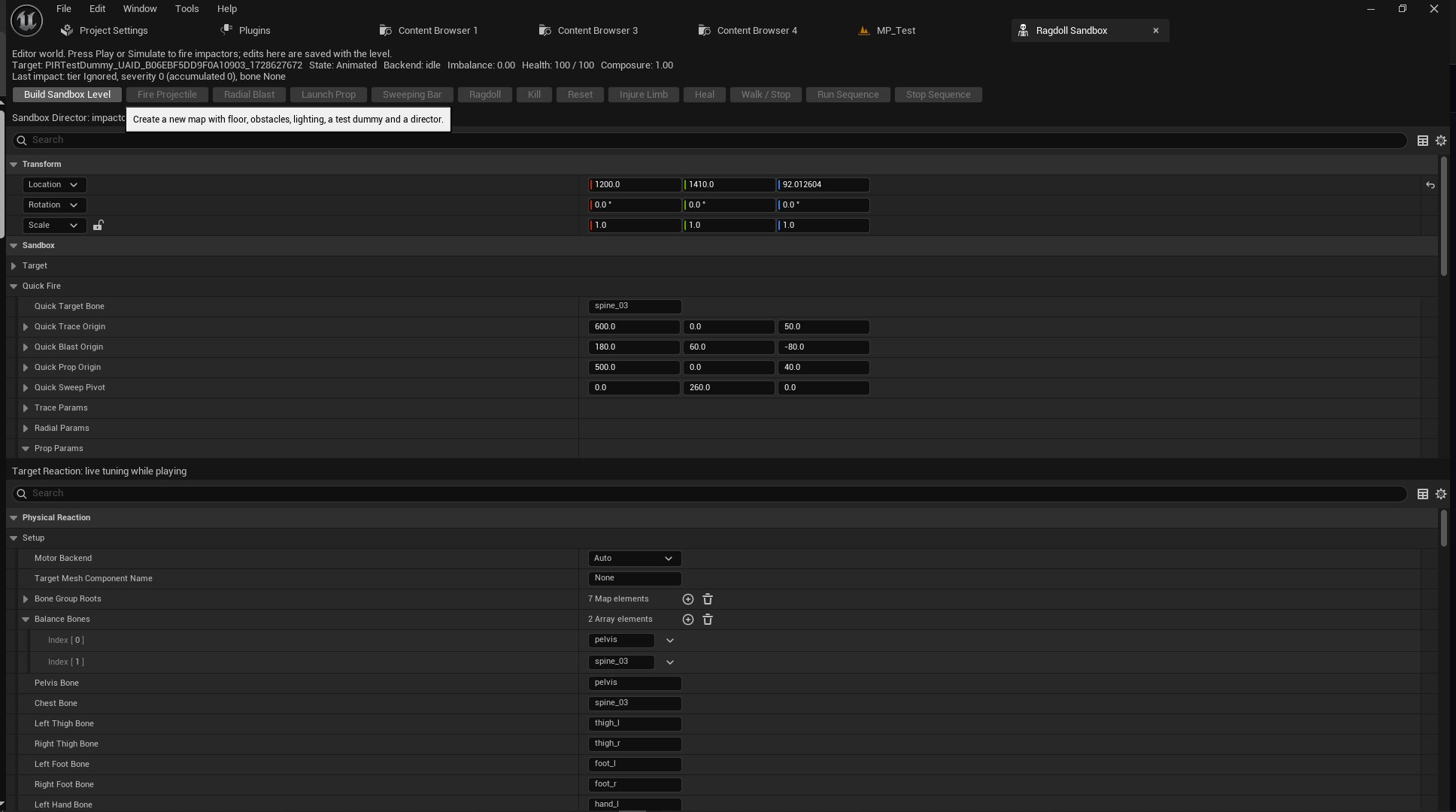
One editor tab. Fire something at the test dummy, read what the component decided, change a value and fire again. These are the controls as they appear in the tab.
Toolbar actions. Press Play or Simulate to fire impactors.
Build Sandbox Level creates a new map with floor, obstacles, lighting, a test dummy and a director.
Quick Fire: where each impactor comes from and what it targets.
spine_03Target Reaction: live tuning while playing. Setup maps the component to your skeleton.
AutoNonepelvisspine_03pelvisspine_03thigh_lthigh_rfoot_lfoot_rhand_lValues shown are the defaults for the UE5 mannequin. The panel continues below these rows in the editor.
Where it sits
Hit reaction tools tend to fall into three approaches. Each solves part of the problem.
| Animation-based hit reacts | Ragdoll + get-up | Basic active ragdoll | G.O.A.T. Ragdoll | |
|---|---|---|---|---|
| Reactions differ hit to hit | Authored set | Yes | Yes | Yes |
| Severity tiers | Yes | Rarely | Varies | Minor / Moderate / Major |
| Capture-point balance | No | No | Varies | Yes |
| Procedural catch steps | No | No | Rarely | Yes |
| Protective arms on a fall | No | No | Rarely | Yes |
| Per-limb wounds | No | No | Rarely | Dead arm, limp, clutch |
| Get-up | Animation | Yes | Varies | Aligned to the body |
Columns describe approaches, not specific products, based on a review of Fab listings in this category on 2026-11-07. Individual products vary; check each listing.
Specs
PIR.FAQ
It uses UE5 and UE4 mannequin bone names by default, and the names can be overridden for other skeletons. The character needs a Physics Asset.
That combination hasn't been tested yet, so we won't claim it. The procedural limp is built to work with any Anim Blueprint.
Outcomes are server-authoritative: impacts, deaths, injuries and limb states. Clients replay the impacts. The ragdoll pose itself is not synced, so two players can see slightly different limb positions for the same takedown.
5.6 isn't supported. The plugin is listed for 5.4, 5.5, 5.7 and 5.8.
No. Severity tiers decide the response, and a health-driven mode makes only lethal hits collapse. Presets (Grunt, Default, Tough) change how much a character can take.
The step logic traces the floor that's actually under the character. All published footage so far is on a flat floor, so judge uneven ground in the sandbox for your own levels.
Yes. It's captured live in the Unreal editor with the plugin's debug view on, at full speed; slow-motion parts are labelled replays of the same frames. The key art at the top and bottom of this page is AI-generated illustration, and the scroll sequence is a schematic.
It has been measured in the editor from 25 to 200 characters. Idle characters had no ticking components at any size. With the default budget, 16 characters stagger at once and the rest ignore moderate hits, which kept 200 characters at or below the cost of the same crowd without the plugin. Major hits ragdoll everyone, and 200 simultaneous ragdolls produced frame spikes. The full table is in the crowd test.